2.1.1
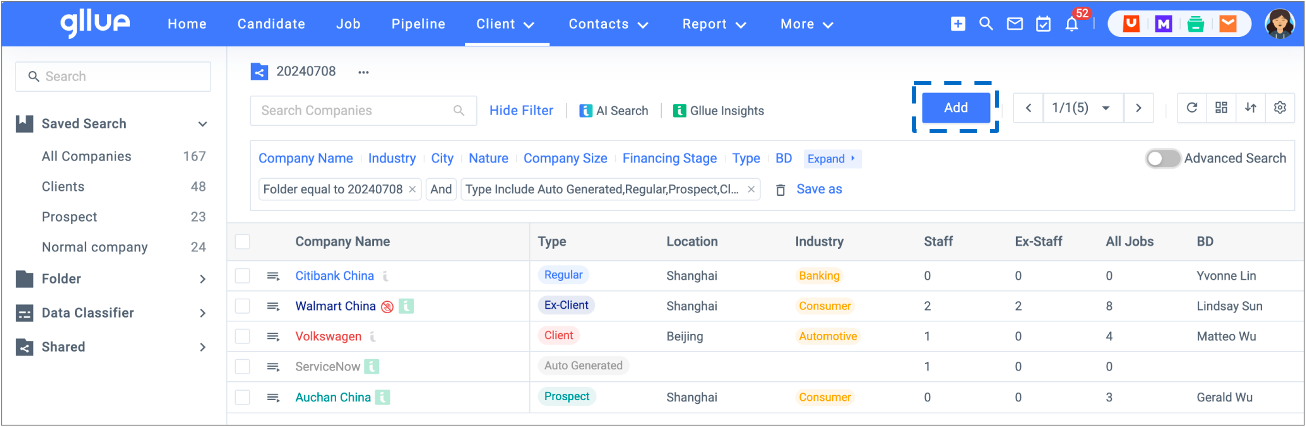
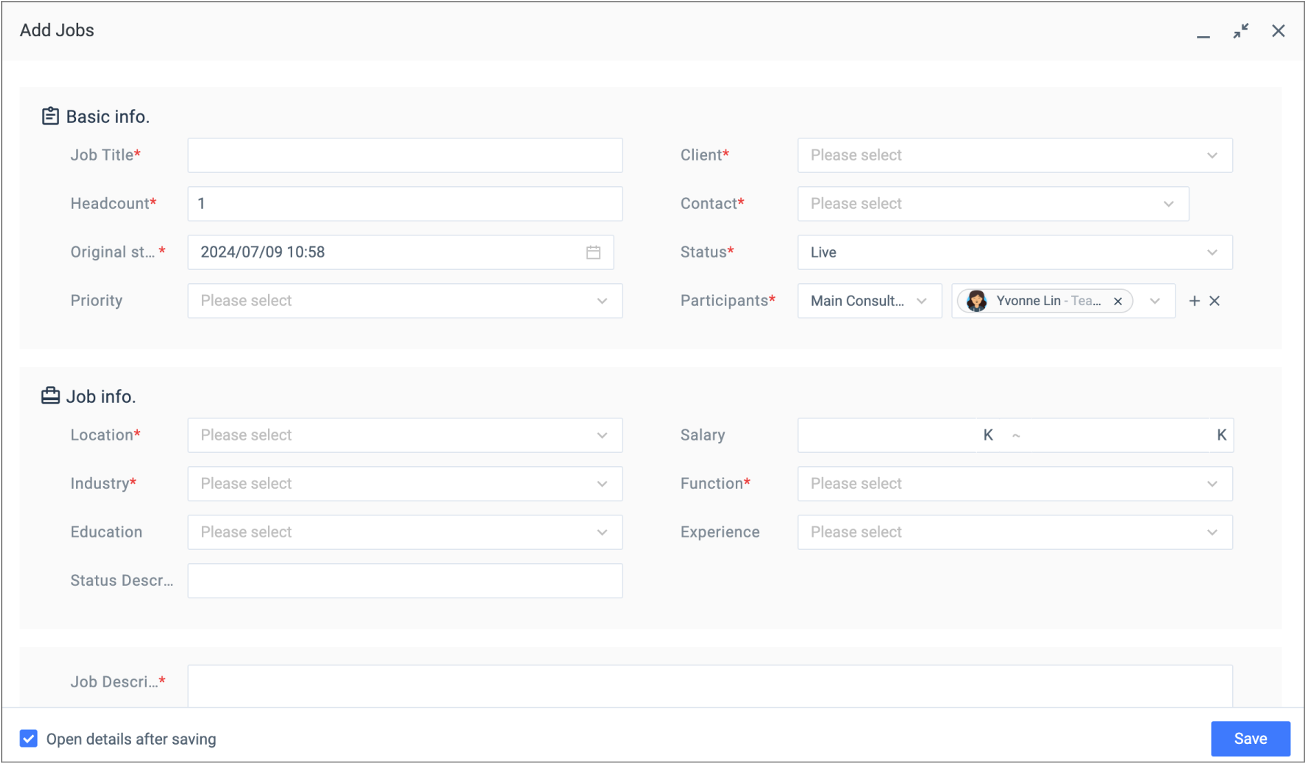
Go to Job, click ‘Add’, a job creation page will populate. Fill in the fields as required
2.1.2 Participants
- Only the participants of the job can move candidates through the pipeline
- Default participants roles: main consultant, BD, consultant, and researcher.
2.1.3 Original starting date
- The default original starting date is when the job was first created. This date is used to calculate lead time and cannot be changed once saved
2.1.4 Job status & Priority
- The default job status is ‘Live’. It displays status for all jobs currently in Gllue
- The default priority options are: High, Medium, Low
- These are generally used to prioritize resource and time allocation for the week/upcoming week.