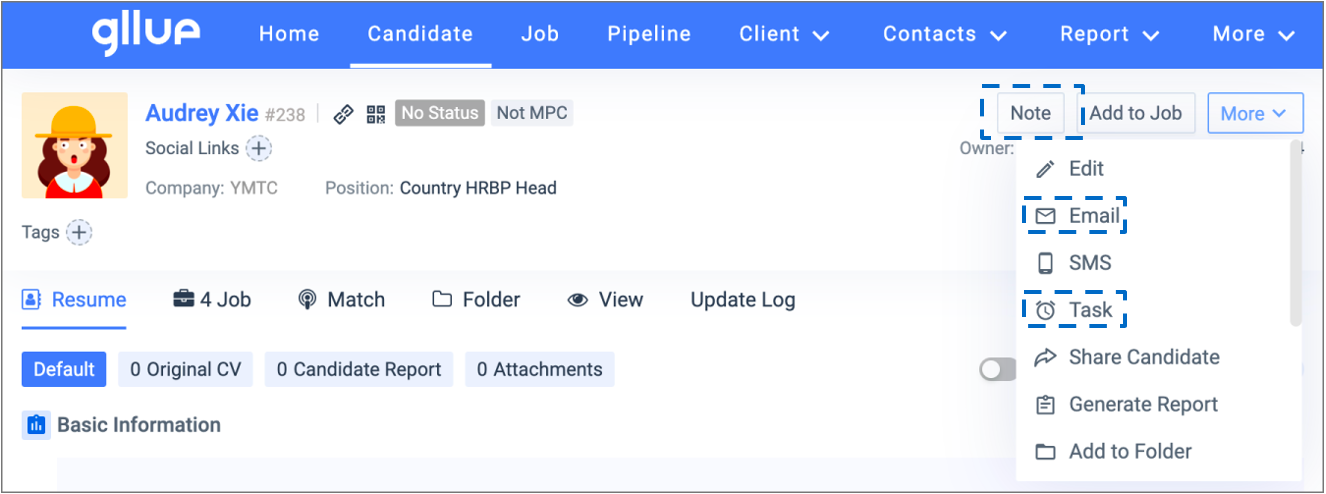
Keeping track of your follow-up efforts is important.
5.2.1 Notes
When adding new notes, you will be prompted to update the candidates’ status at the same time because notes may contain the same information on the candidate profile. Notes serves as a structured record of KPIs, including candidate calls, consultant interviews, BD calls, and client visits.
Go to the company profile at your choice, click ‘add contact’ to create a new contact under the existing company.
5.2.2 Email
It is recommended to follow up with an email after a candidate call/meeting. Gllue supports bulk sending emails with email templates.
5.2.3 Tasks
You can create a Gllue Calendar task as the next follow-up action after a candidate call or meeting. Calendar reminders will pop up in the system before the set due date, and the calendar tasks can be synced to an email client such as Outlook.