Generate a formatted candidate report in under a minute – the AI Candidate Report Assistant is now live!
- Generate candidate reports directly from candidates’ original resumes with an accuracy rate close to 100%.
- Built-in templates in both English and Chinese are available. Feel free to provide feedback on formatting details at any time.
- Supports generate consultant comments.
- Detects common issues in recommendation reports, such as overlapping dates and employment gaps
- Offers multilingual resume translation, including Chinese, English, and Japanese.
- Allows exporting the generated candidate reports in Word and PDF formats.
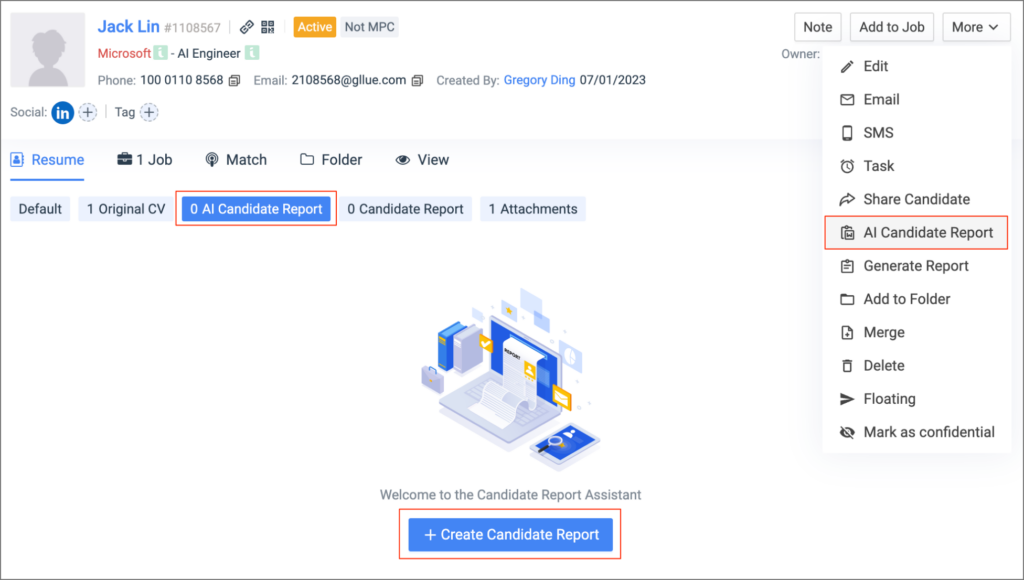
Where can I access the Candidate Report Assistant?
- You can access the candidate report assistant in Candidate Profile
How to generate the candidate report?
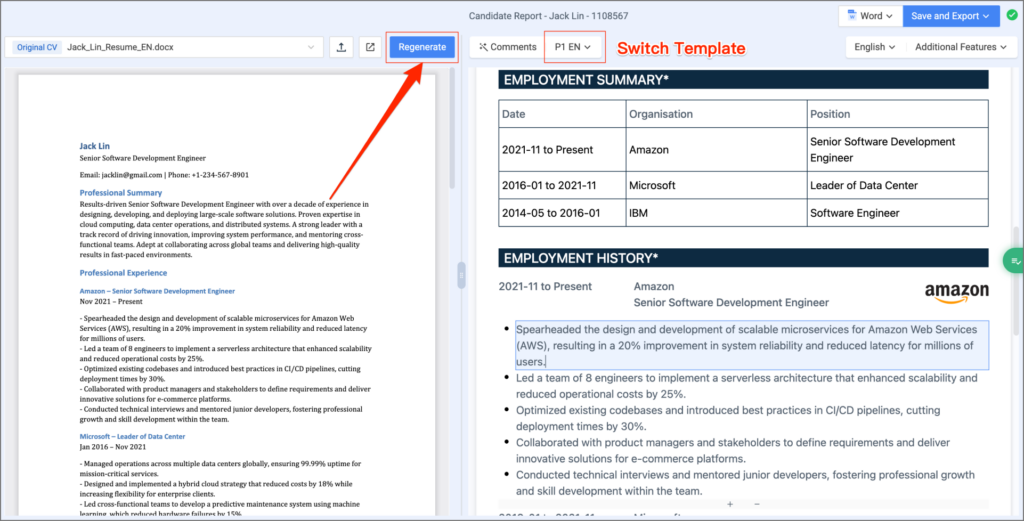
- In the editing interface of the Candidate Report Assistant, select any original resume, click the “Generate” button, and wait for about 30 seconds to complete.
- After completing the candidate report, click “Export and Save” in the top right corner to choose between exporting to your local device or exporting to Gllue.
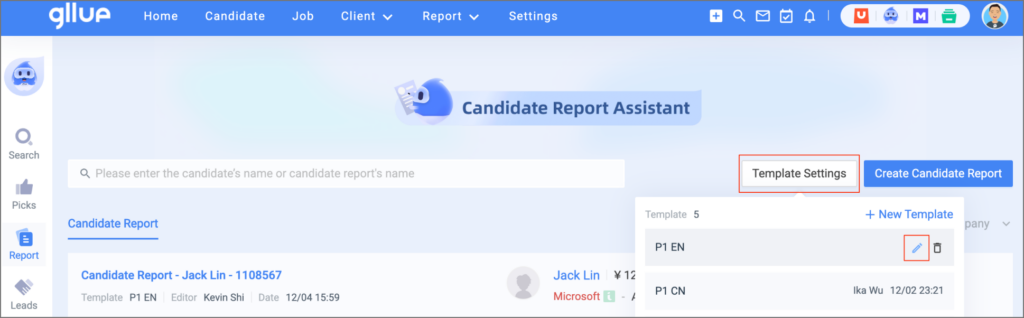
How to edit the candidate report template?
- Admin can revise existing templates or add new ones in the Template Settings.
- If your template style differs from the existing templates and requires customization, feel free to reach out for assistance.