• Support
  • English
    • English
    • 繁体中文
    • 简体中文
  • Support
  • English
    • English
    • 繁体中文
    • 简体中文
Home/Help Center/User Manual/BD/1.3 Contract Management

1.3 Contract Management

3 visits 0 2026-09-22 Marking Wang

1.3.1

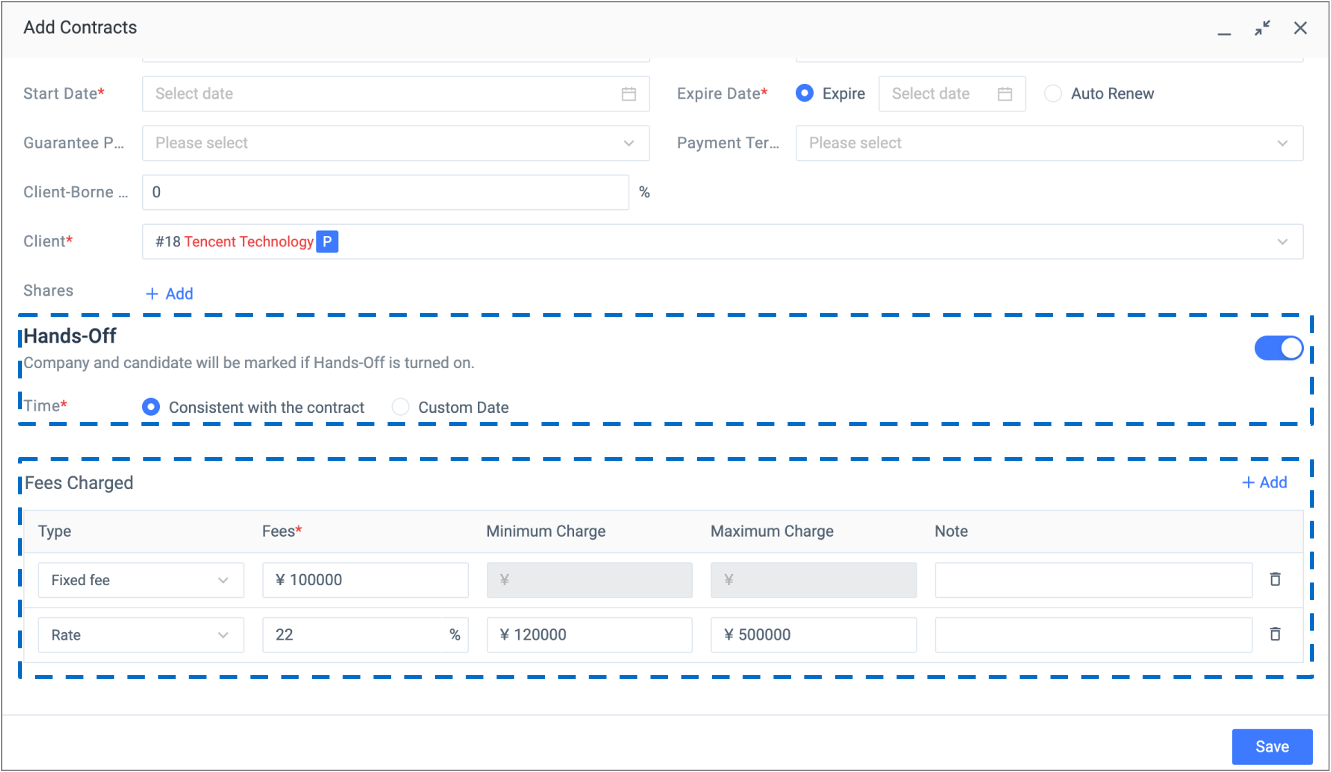
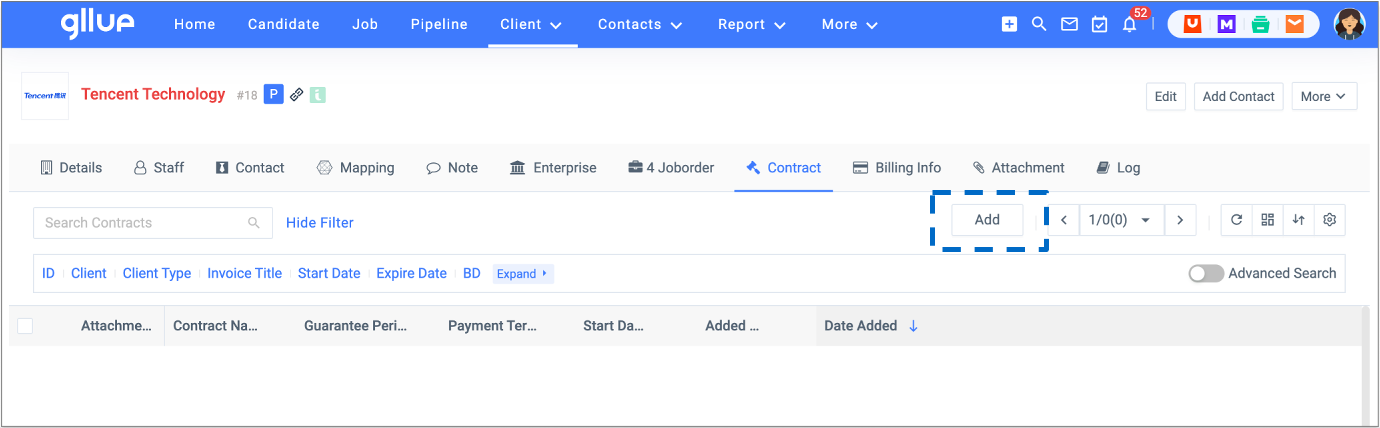
Go to the company profile, click ‘Contract’, and add a new contract against client.

  • Fill in the contract start date/expiration date and a Gllue calendar task will be created automatically at the same time.
  • Store all contracts into a central repository.
  • Fill in the fee rate field so it will automatically calculate and display the recruitment fee later during the ‘Revenue Split’ process.
  • Multiple fee rates can be created according to the contract.
  • If the client’s contract includes non-solicitation terms, enable ‘Hands-off’, a hands-off icon will show against the candidates who are currently employees of the client.
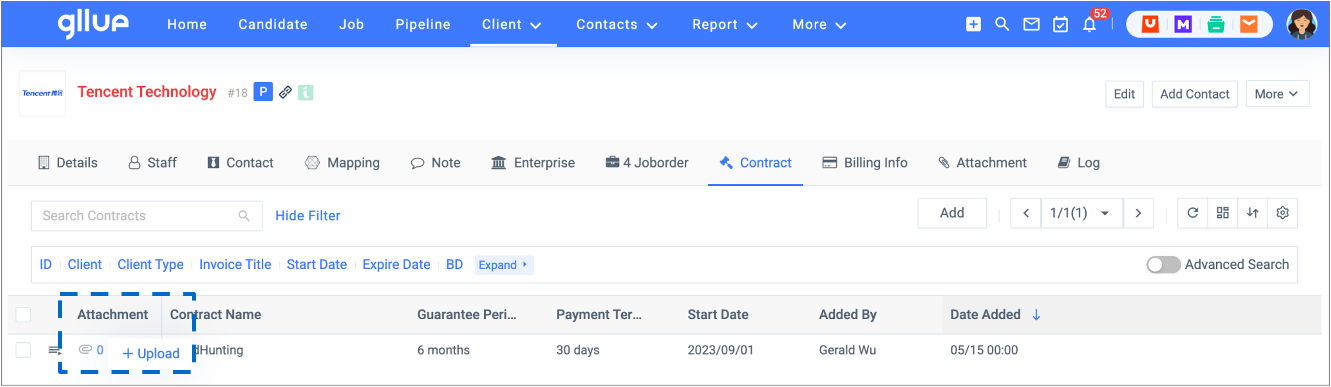
  • Click ‘Upload’ and upload a copy of the signed contract to the contract list.
1.3.2

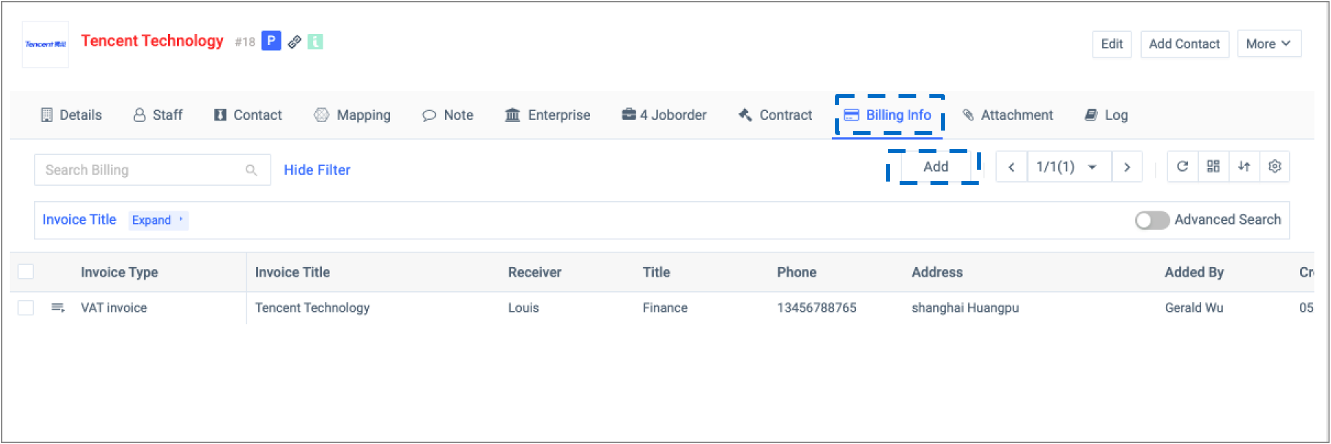
Go to the company profile, click ‘Billing Info’, and add new billing information against client.
1.3.3

Once a copy of contract is uploaded, you need to manually change the company type to ‘Client’.

FAQs

How to manage companies that are in the process of business development?

This is a typical use case for folders.

  • Step 1: set the company types as ‘Prospect’.
  • Step 2: create a folder on the side bar.
  • Step 3: group the Prospect companies and put them in the folder you just created.
Is it possible to customize the names and colors for different company types, the fields in the company’s basic information, the note type and its form, and the attachment types in the company entity?

Yes. You can contact your Admin for setup.

How to deal with multiple company records which include the same company name?

Conduct a keyword search on the company list and then merge the multiple company records. Make sure you keep the company record that has the most complete and updated information.

Did this article help you?

Yes  No
©2026, All Rights Reserved by Gllue Software
Loading...

插入或编辑链接

输入目标 URL

或链接到站点中的内容

    未指定搜索条件。自动显示最近发布条目。 搜索或使用上下方向键来选择一项。