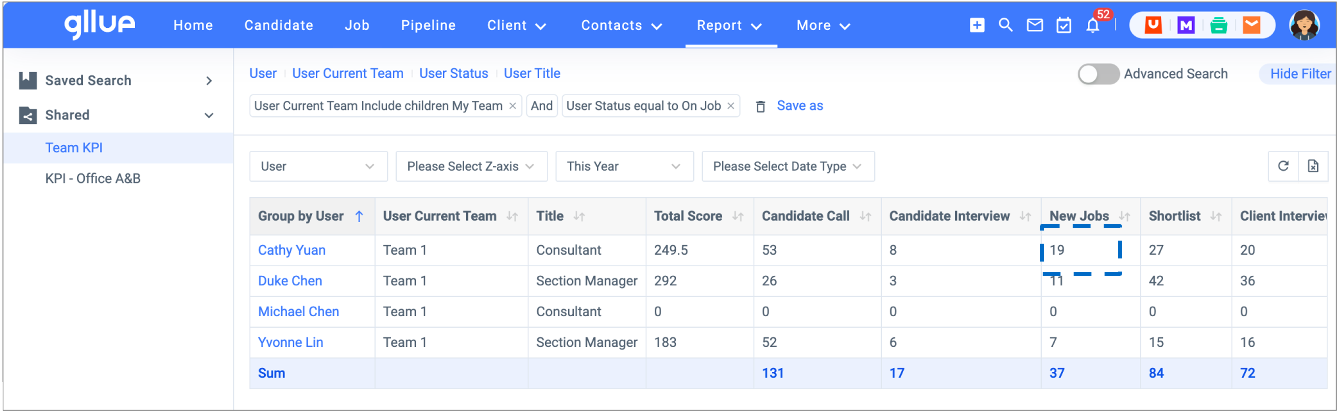
You can access and track your own KPIs in real time. Navigate to Reports and clickKPI Reports. If you are a team leader, you will be able to access the KPI reports of your team members. KPI metrics are customizable. The common KPI metrics you see in your KPI reports are as below:
- BD Calls
- Contact Meeting
- Candidate Keyin
- Candidate Call
- Candidate Interview
- New Jobs
- CV Sent
- Client Interviews (1st round, 2nd round, final round)
- Offers and Offer Sign
- Onboard
You can view the KPI reports by time, by group, by user as you need to stay on top of your recruitment efforts.
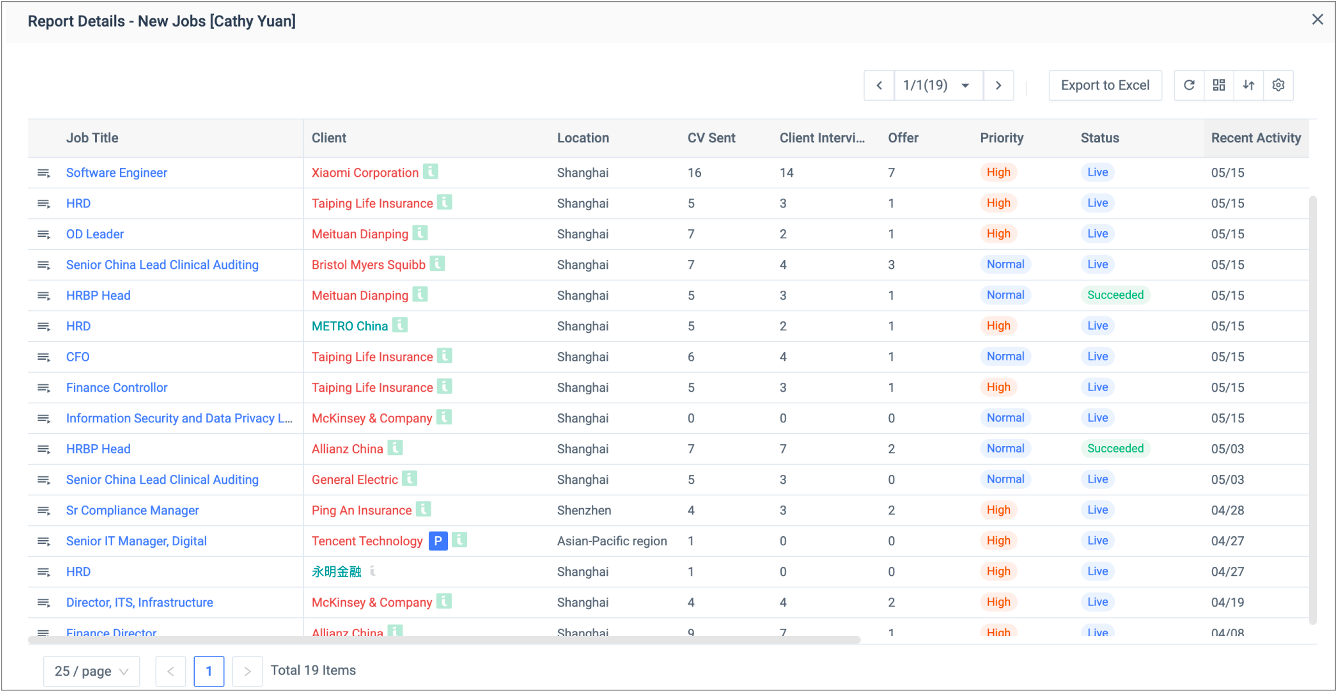
Gllue interactive KPI reports allow for exploration and analysis. If you want to dive into further details, just click through the numbers.